Do You Need More USB Ports?
You just opened your new laptop, and you are eager to get everything set up. But then you try to plug in your mouse, your keyboard, your printer, and your external hard drive, and you realize something frustrating: you’ve run out of ports.
Modern laptops are getting thinner, which means they often have fewer USB ports than the devices we need to use every day. This is when a USB hub becomes a necessary accessory.
If your setup requires more than two or three USB ports, a USB hub is a great computer accessory to have. It plugs into one of your laptop’s USB ports and multiplies it into four, seven, or even ten extra ports. But not all hubs are created equal. If you choose the wrong one, your mouse might lag, your hard drive might disconnect, or your devices might not charge properly.
In this guide, we’ll break down the two main types of USB hubs, Passive and Active, so you can pick the perfect one for your setup.
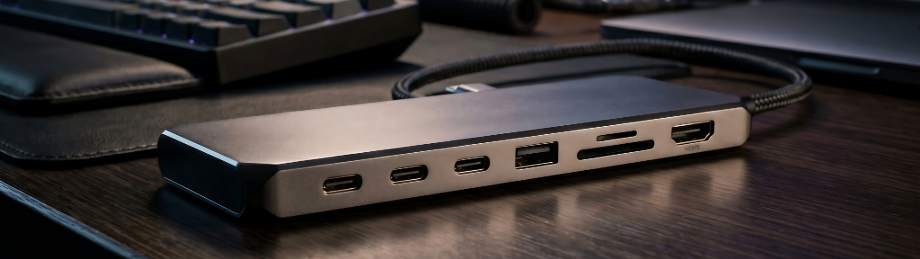
What is a Passive USB Hub?
A passive USB hub is the most common type of hub. It doesn’t have its own power supply; instead, it “borrows” the power from the single port it’s plugged into.
Think of it like a simple splitter. It takes one lane of traffic and divides it into several smaller lanes.
The Limitations of Passive Hubs
Because passive hubs share the limited power provided by your laptop, they have a “ceiling.” If you plug in too many devices that require a lot of energy, the hub won’t be able to keep them all running at once.
Computer peripherals that often work well on a passive hub are keyboards, mice, USB flash drives for basic file transfers, and printers.
The Pros and Cons of Passive Hubs
Pros
- Affordable: Usually much cheaper than active hubs.
- Portable: Often small, lightweight, and easy to carry in a bag.
- Great for Basics: Perfect for office workers who just need a mouse and keyboard.
Cons
- Limited Power: They usually cannot power “heavy” devices like external hard drives or webcams.
- Device Connection Dropouts: If you plug in too many things, some may stop working or disconnect randomly.
- No Charging: They usually won’t provide enough power to charge a smartphone or tablet.
- Can cause USB power surge errors that can damage the USB port over time.
What is an Active USB Hub?
An active USB hub (sometimes called a “powered USB hub”) has its own internal power supply, usually a plug that goes into a wall outlet. Because it has its own source of electricity, it doesn’t have to “steal” power from your laptop’s port.
Instead of just splitting the signal, an active hub provides a dedicated lane of power for every device plugged into it.
Why Active Hubs are Different
Because they have their own power, active hubs can handle “high-demand” devices without breaking a sweat. If you want to plug in multiple external hard drives or high-definition webcams, an active hub is your best option.
The Pros and Cons of Active Hubs
Pros
- Reliable Power: Can power “power-hungry” devices like external hard drives and webcams.
- No Connectivity Issues: Devices won’t randomly disconnect due to lack of power.
- Charging Capabilities: Can charge your phone or tablet while they are plugged into the hub.
Cons
- Pricey: They are generally more expensive than passive hubs.
- Bulkier: They are usually larger and require an extra cord for the wall outlet.
- Less Portable: Not as convenient to carry around in a laptop bag every day.
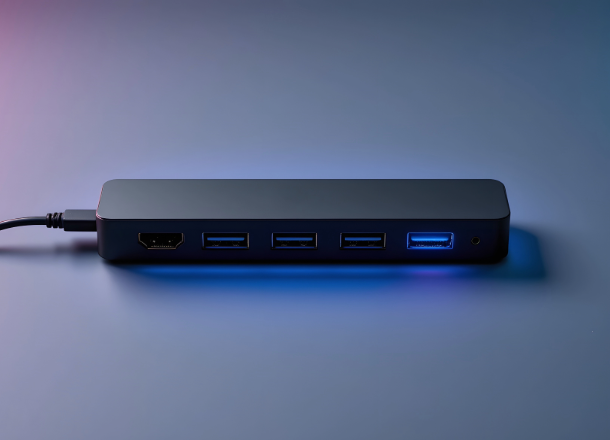
USB Hub Ideas For You
USB Hub Ideas. If you are considering buying a hub and need some ideas, check out our curated list of top rated active and passive USB hubs on Amazon.
🛒 View on AmazonDisclosure: This page contains Amazon affiliate link(s). We may earn a commission from Amazon on qualifying purchases, at no extra cost to you.
Which One Should You Choose?
To help you decide, let’s look at how you plan to use your laptop:
Pick a Passive Hub if…
You are primarily using your laptop for office work, school, or browsing the web. If your main goal is simply to have more room for a mouse, keyboard, and a printer, a passive hub is all you need. It’s compact, affordable, and does the job perfectly for low-power accessories.
Pick an Active Hub if…
You are a “power user,” a creative professional, or a gamer. If you plan to connect external hard drives, high-definition webcams, USB microphones, or multiple phones that need charging, you need an active hub. It ensures that your heavy-duty equipment gets the consistent power it needs to run smoothly without crashing your connection.
Compatibility: Connection Type
When shopping for a USB hub, check that your device has the correct connection type or plug for your new hub. Here are the common connection types:
- USB-A: The classic rectangular port (most common on older laptops and keyboards).
- USB-C: The newer, smaller oval port (standard on most modern MacBooks and thin Windows laptops).
Make sure you buy a hub that matches the ports available on your specific laptop. Moreover, make sure that you understand the Power Delivery capabilities of your device’s USB ports to avoid causing power surge errors or damage to your device’s USB port. If you anticipate that you may need to connect power hungry devices to your USB hub, a powered USB hub is the smart choice.